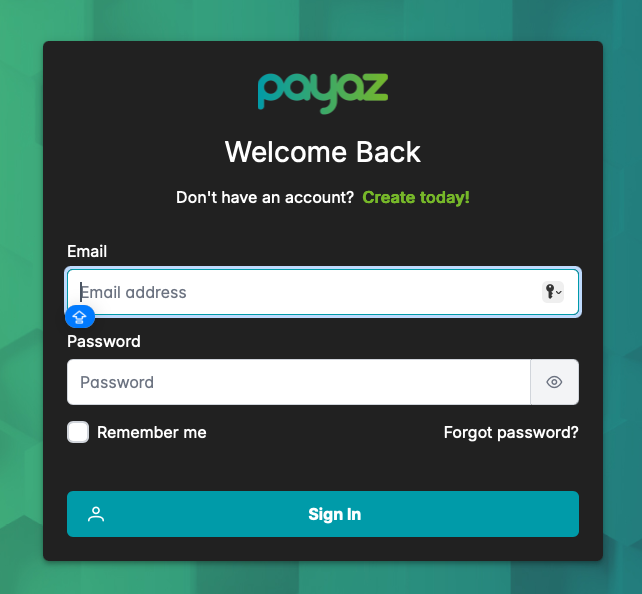
Step 1: When you account has been verified you can access you account by logging on at https://app.payaz.software/signin using the registered email address and password.
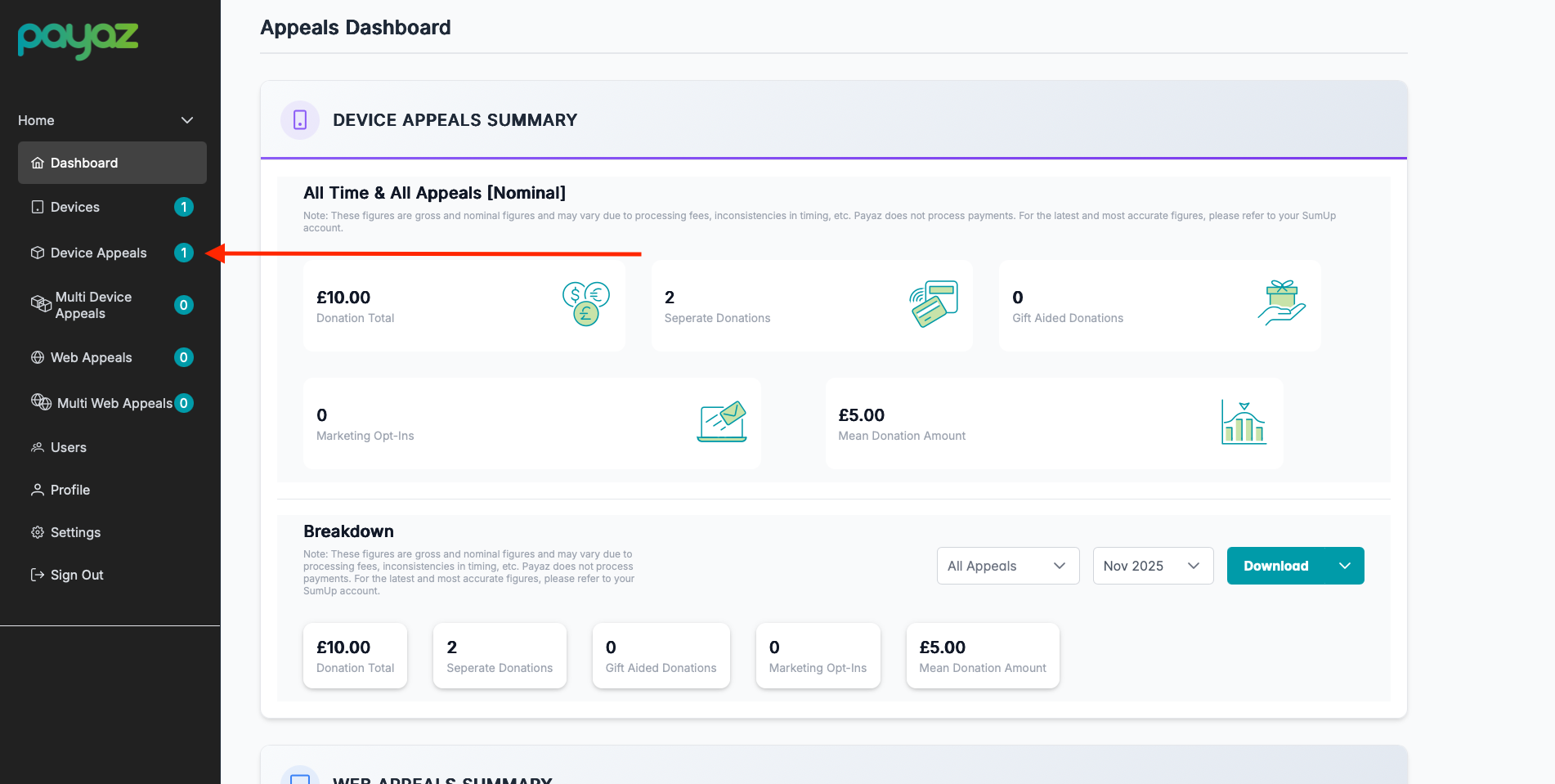
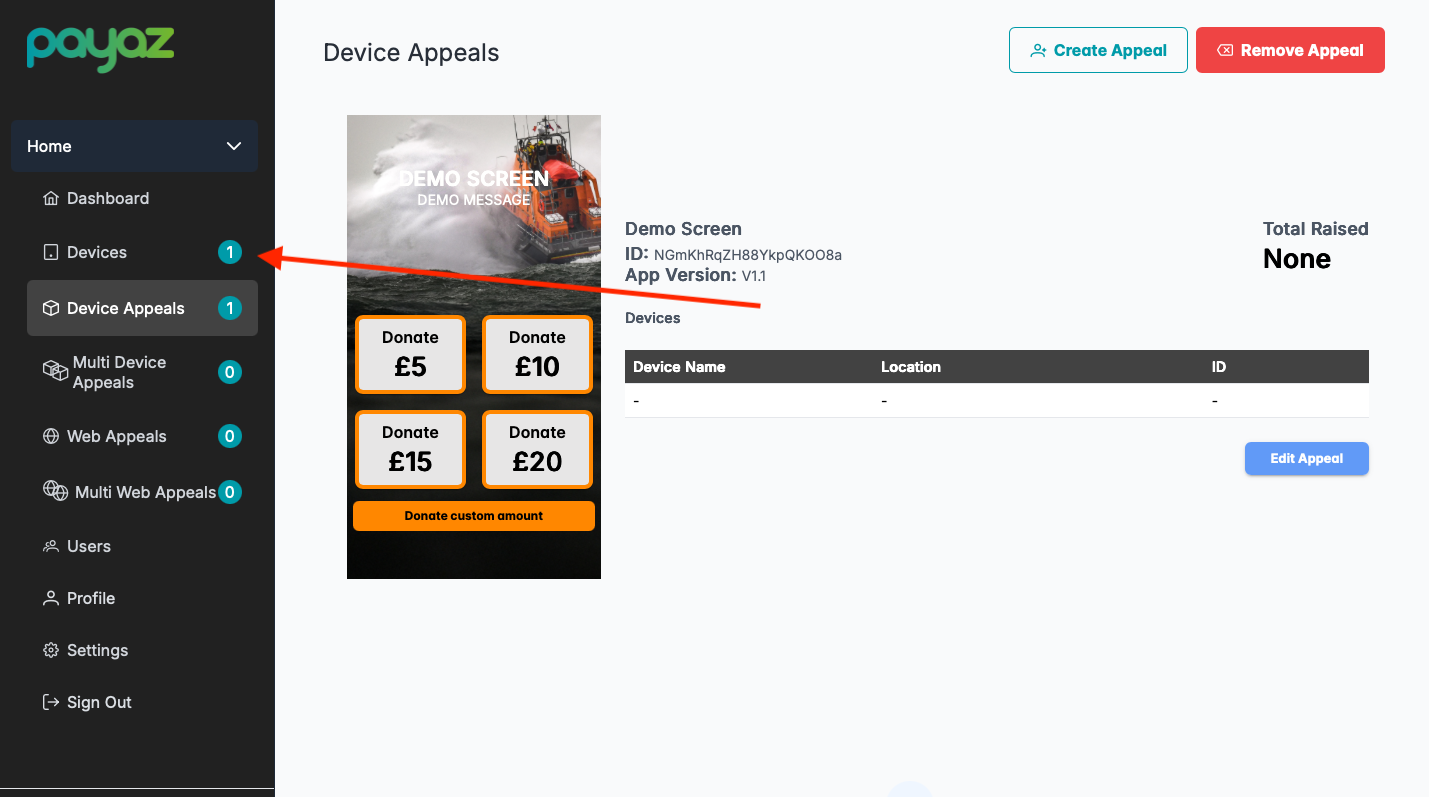
Step 2: Navigate to the device appeals section in the left hand side in the navigation bar
Step 3: Select "Create Appeal"

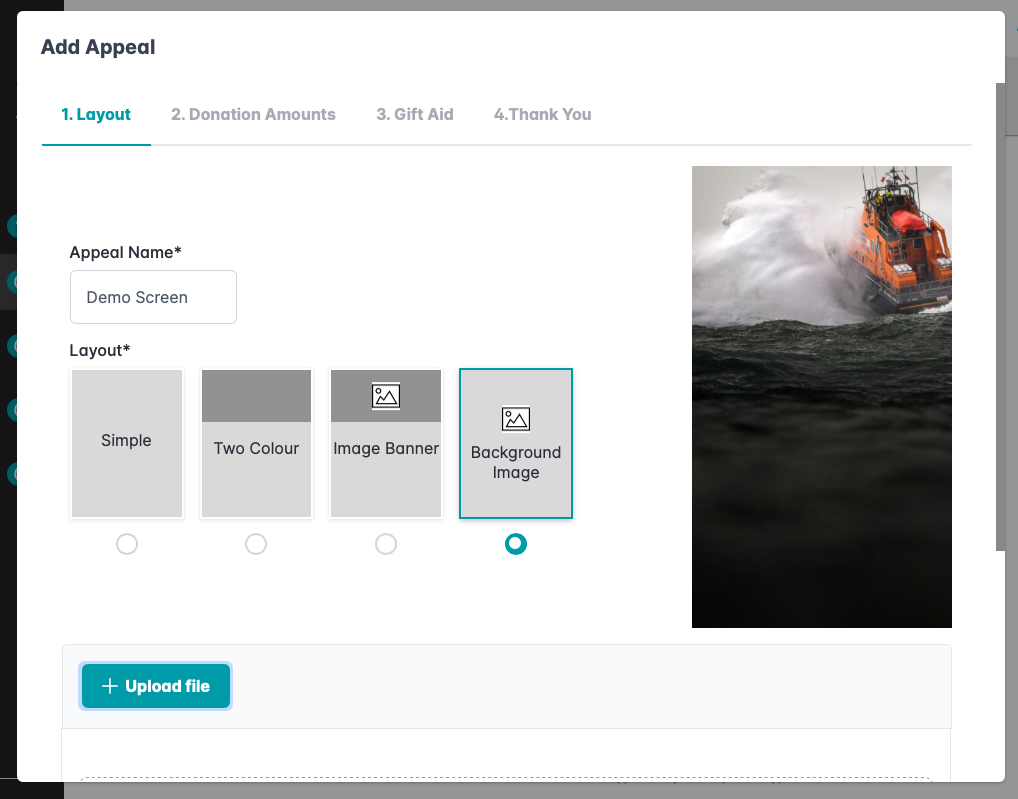
Step 4: You will see the Add Appeal page where you will start to design how the screen will look. From the first screen you can name the appeal as well as selecting your preference for the layout.
Step 5: On the next screen you can add things such as a heading and a message, change the colour scheme, the currency and the button messages
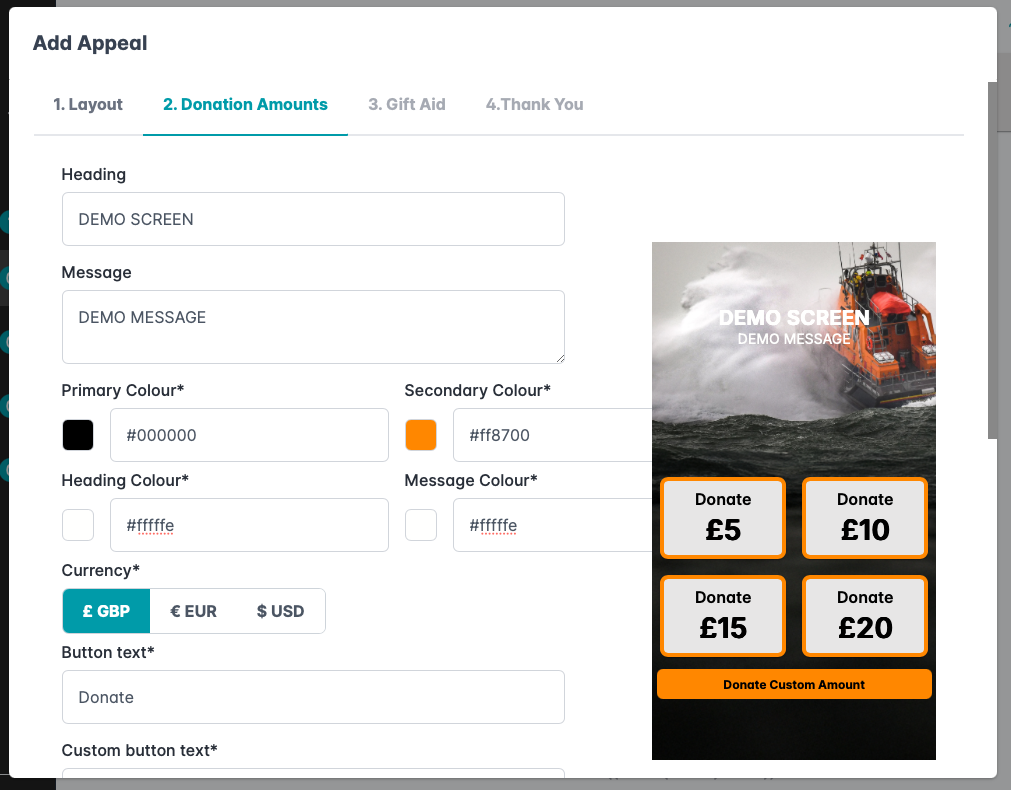
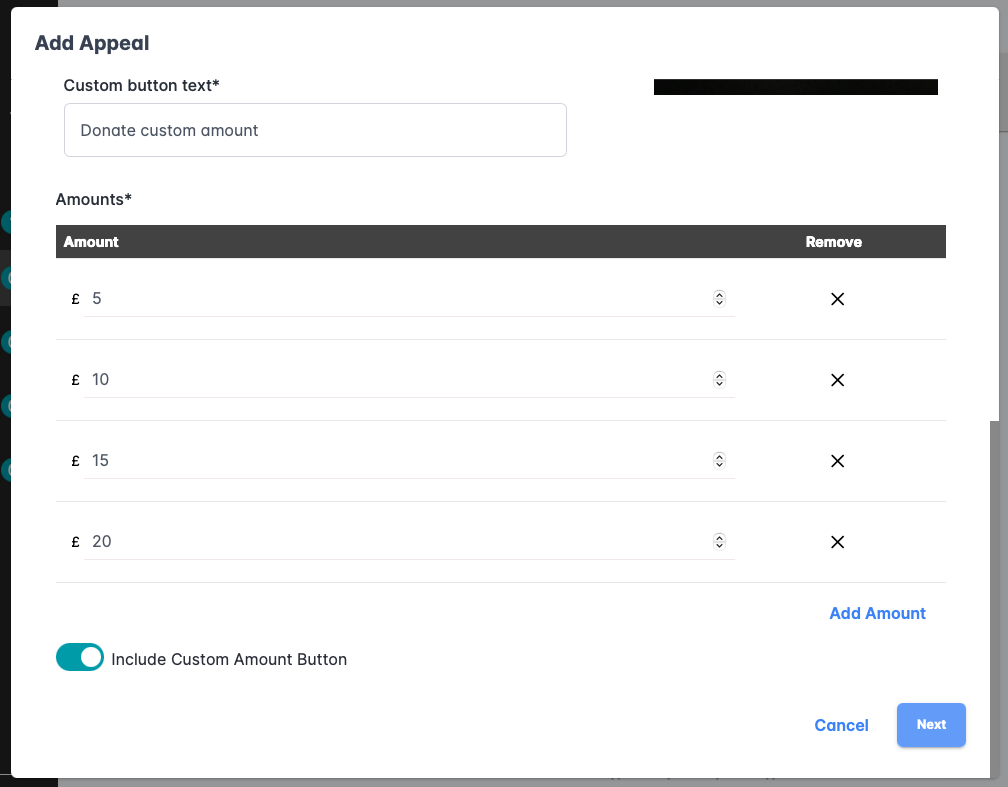
Step 5.1: If you scroll on down the page you will be able to choose different pre-defined amounts that will be visible on the screen. There is also an option to turn on custom amounts so that the donor can choose their own (minimum of £1)
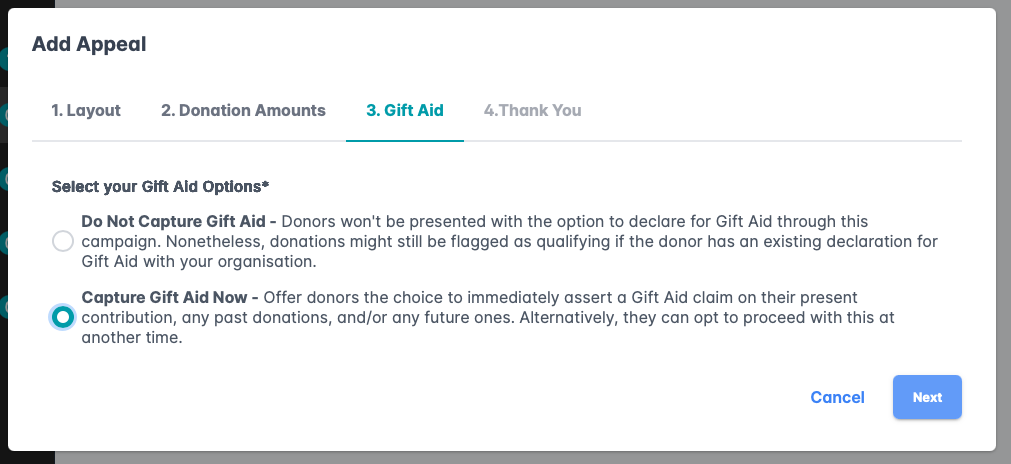
Step 6: The next menu will ask you for your gift aid option.
Step 7: The last step will be to add a thank you screen which will be displayed to the donor after their donation is successful.
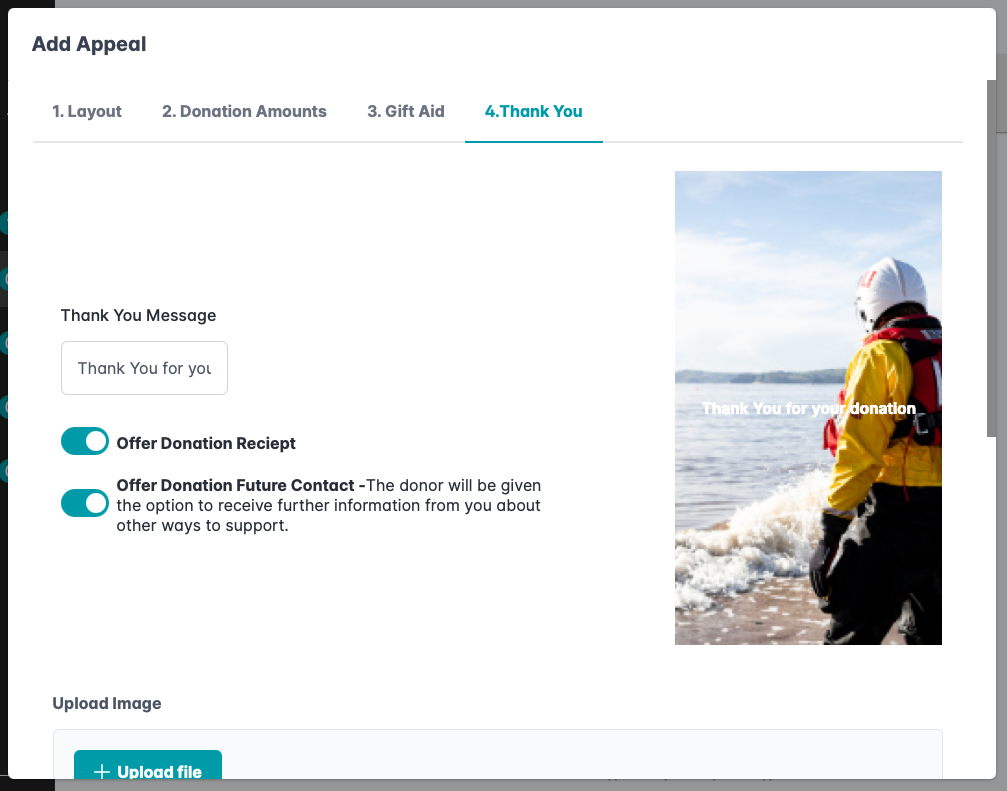
Step 7.1: You will be able to add a custom image to the page as well as a customer message
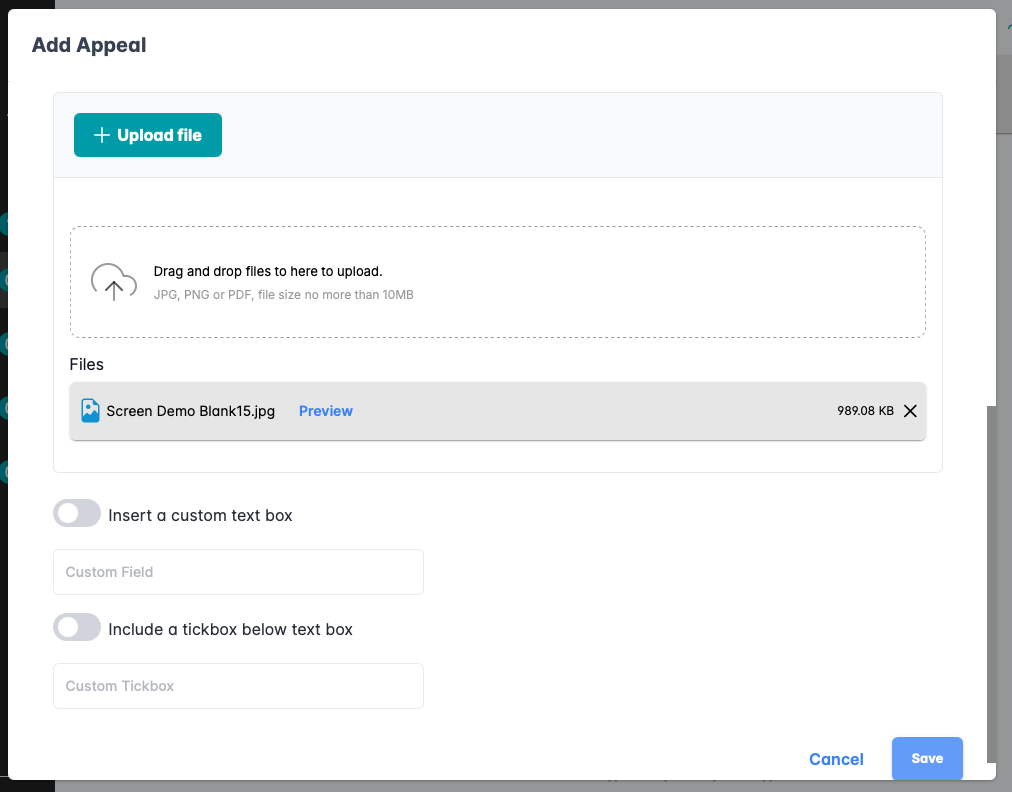
Step 8: Once you have finished creating your appeal screen and have saved you will be redirected back to the device appeals page. To assign the appeals screen to your device select the devices option in the navigation bar on the left hand side
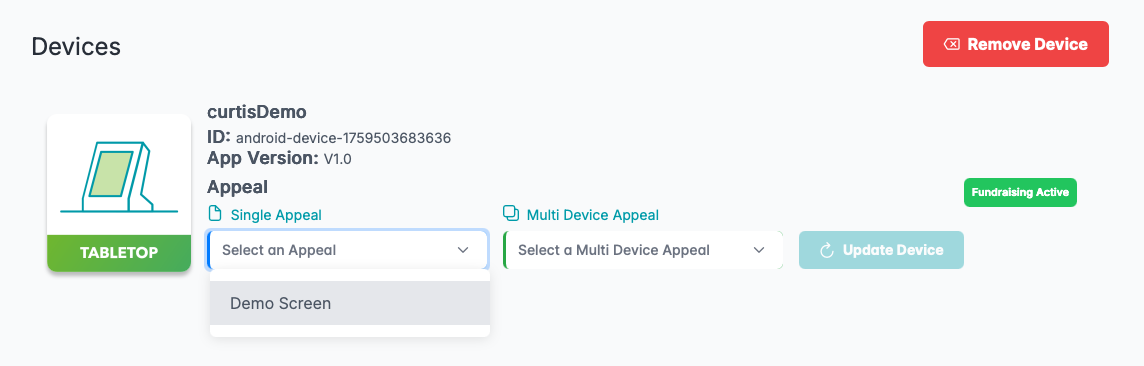
Step 9: From here choose the device you wish to assign the appeal to and chose from the single appeal drop down mean and select the appeal that you have just created. Once you have selected the one that you want all that's left to do is to press the blue button labeled "Update Device".
Was this article helpful?
That’s Great!
Thank you for your feedback
Sorry! We couldn't be helpful
Thank you for your feedback
Feedback sent
We appreciate your effort and will try to fix the article