Yes you can collect Gift Aid through the Payaz software.
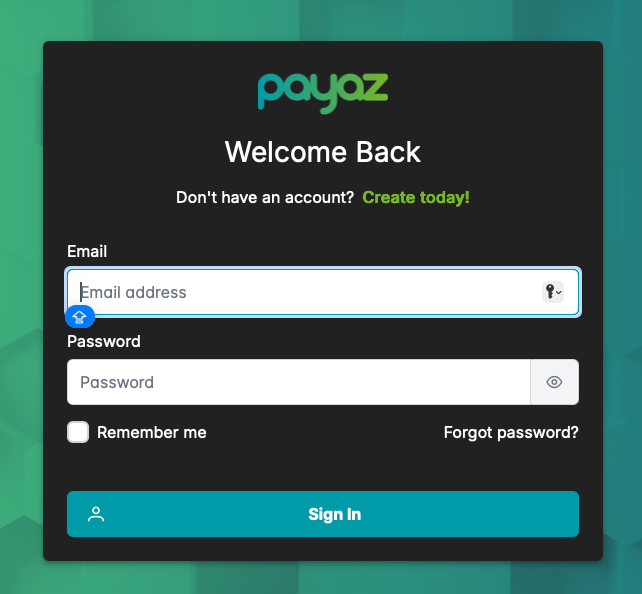
Step 1: Start by logging on to the online portal at https://app.payaz.software/signin using the registered email address and password.
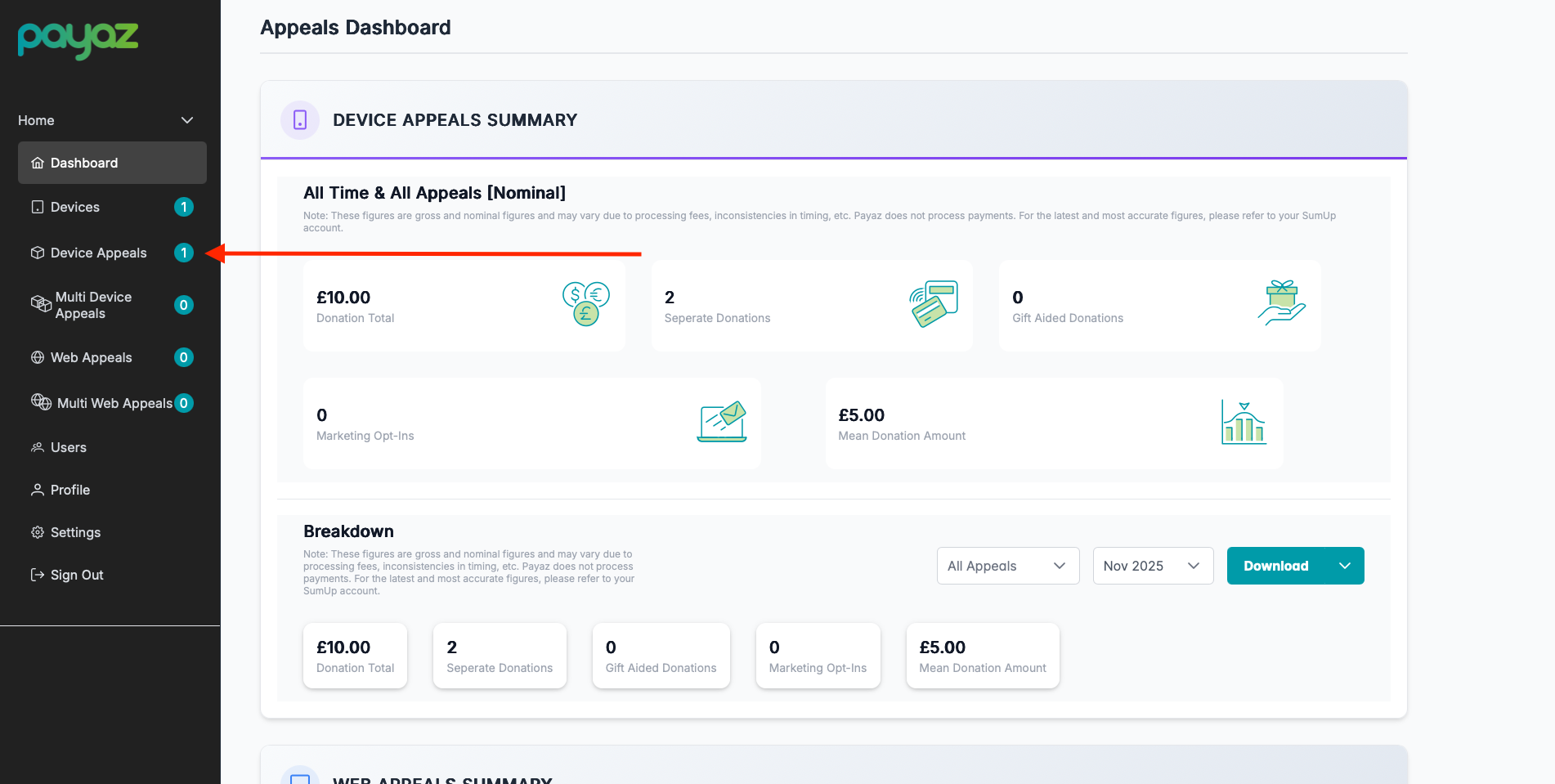
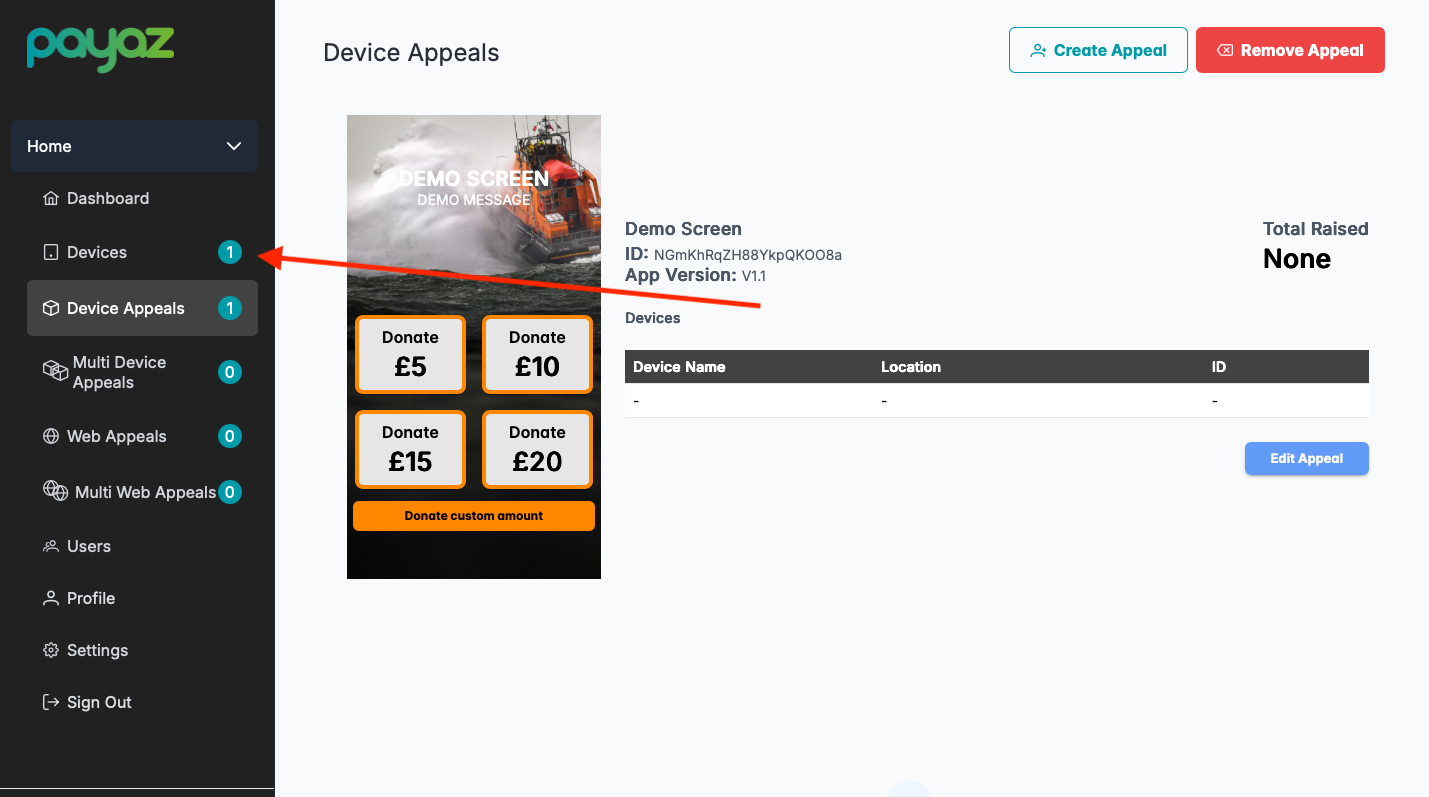
Step 2: Navigate to the device appeals section in the left hand side in the navigation bar
Step 3: Select "Create Appeal"

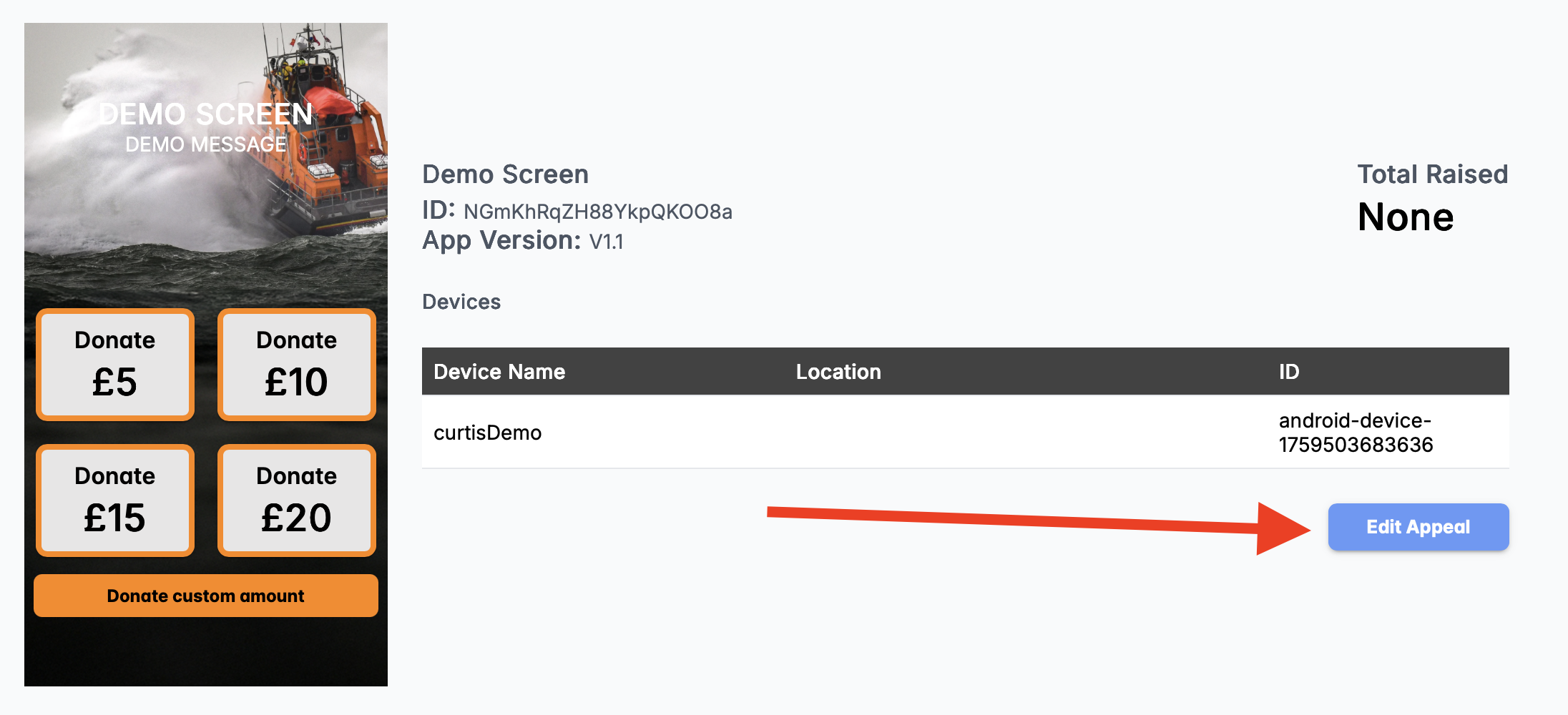
OR if you have already created an appeal and want to turn Gift Aid simply press the blue button labeled "Edit Appeal"
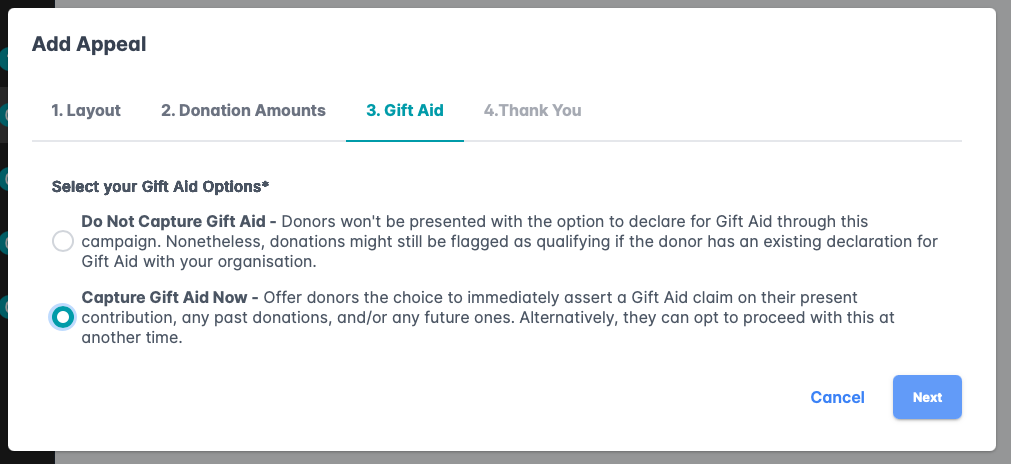
Step 5: Navigate to section 3 and select "Capture Gift Aid Now" and then press "Next" and then finally "Save"
Step 6: Once you have pressed "Save" you will be redirected back to the device appeals page. Next select the devices option in the navigation bar on the left hand side to update the screen on your device.
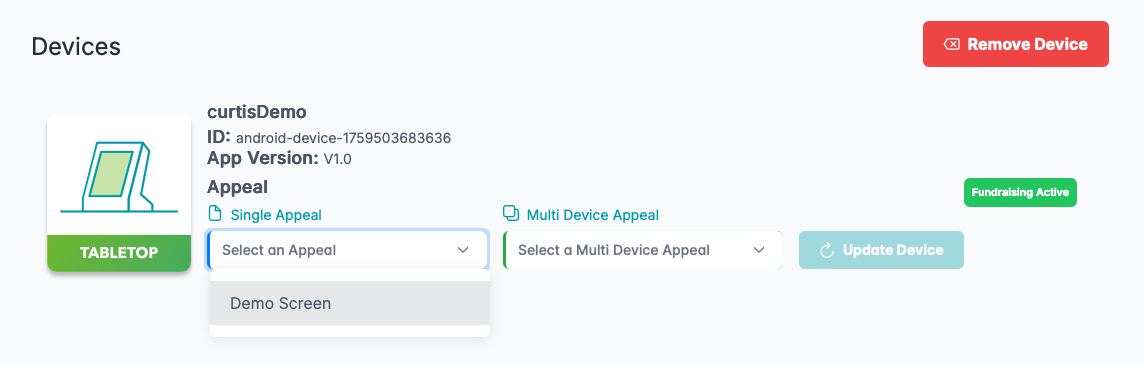
Step 9: From here choose the device you wish to assign the appeal to and chose from the single appeal drop down mean and select the appeal that you have just created or edited. Once you have selected the one that you want all that's left to do is to press the blue button labeled "Update Device".
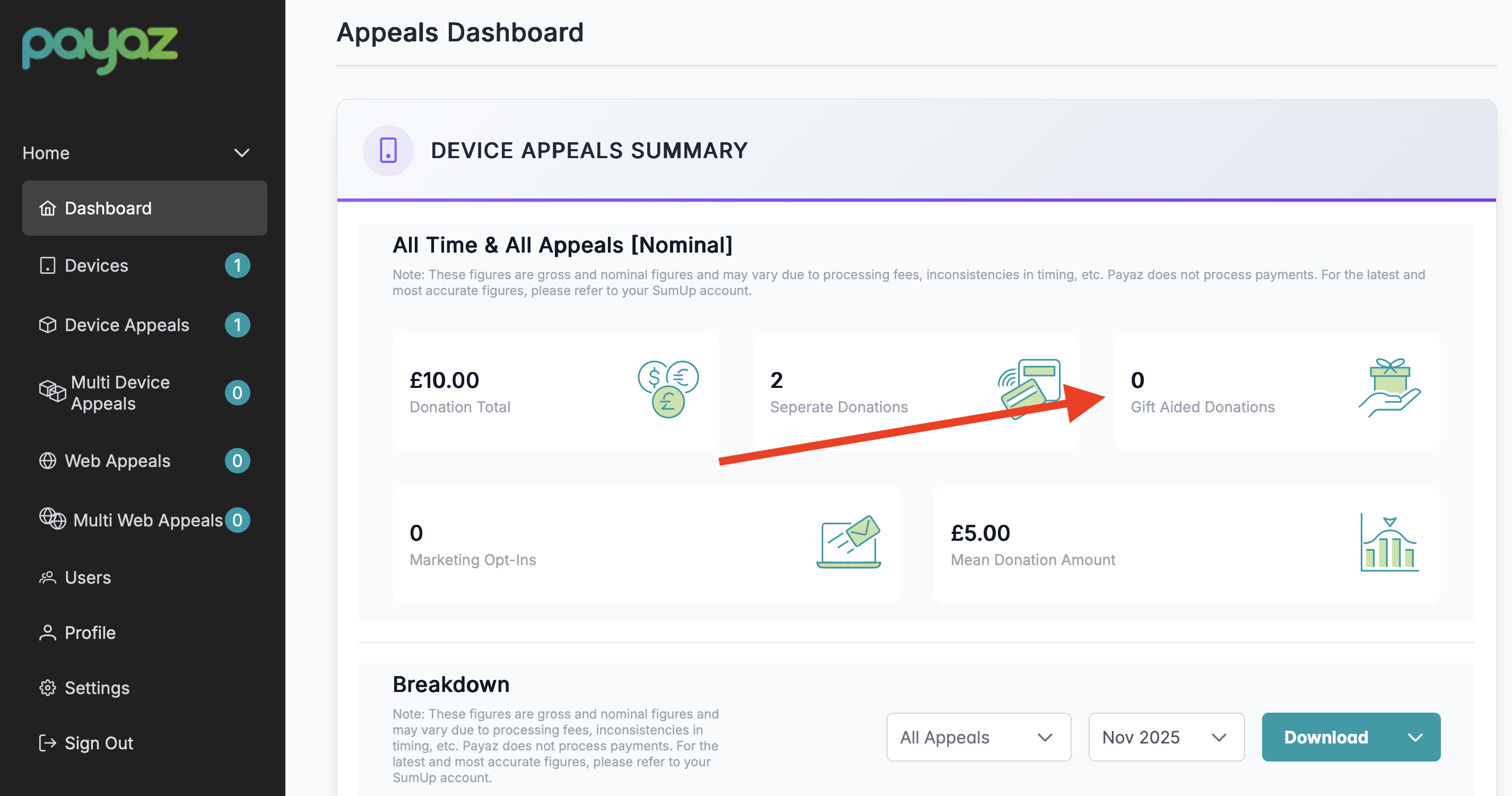
Step 10: If you navigate back to the dashboard by selecting "Dashboard" in the navigation bar you will be able to see the number of Gift Aid donations.
Was this article helpful?
That’s Great!
Thank you for your feedback
Sorry! We couldn't be helpful
Thank you for your feedback
Feedback sent
We appreciate your effort and will try to fix the article